Database Indexing
What are we going to talk about?
I’m pretty sure we all know what indexes are and why we use them. I’m not here to just give a basic intro. Here, I want to share my takeaways after reading the book SQL Performance Explained: Everything Developers Need to Know about SQL Performance. We’ll cover what mistakes make indexes fail to work as expected, what we should do to get the absolute best performance out of them, and how their underlying structure works so we can become good friends with them.
Inspiration: SQL Performance Explained
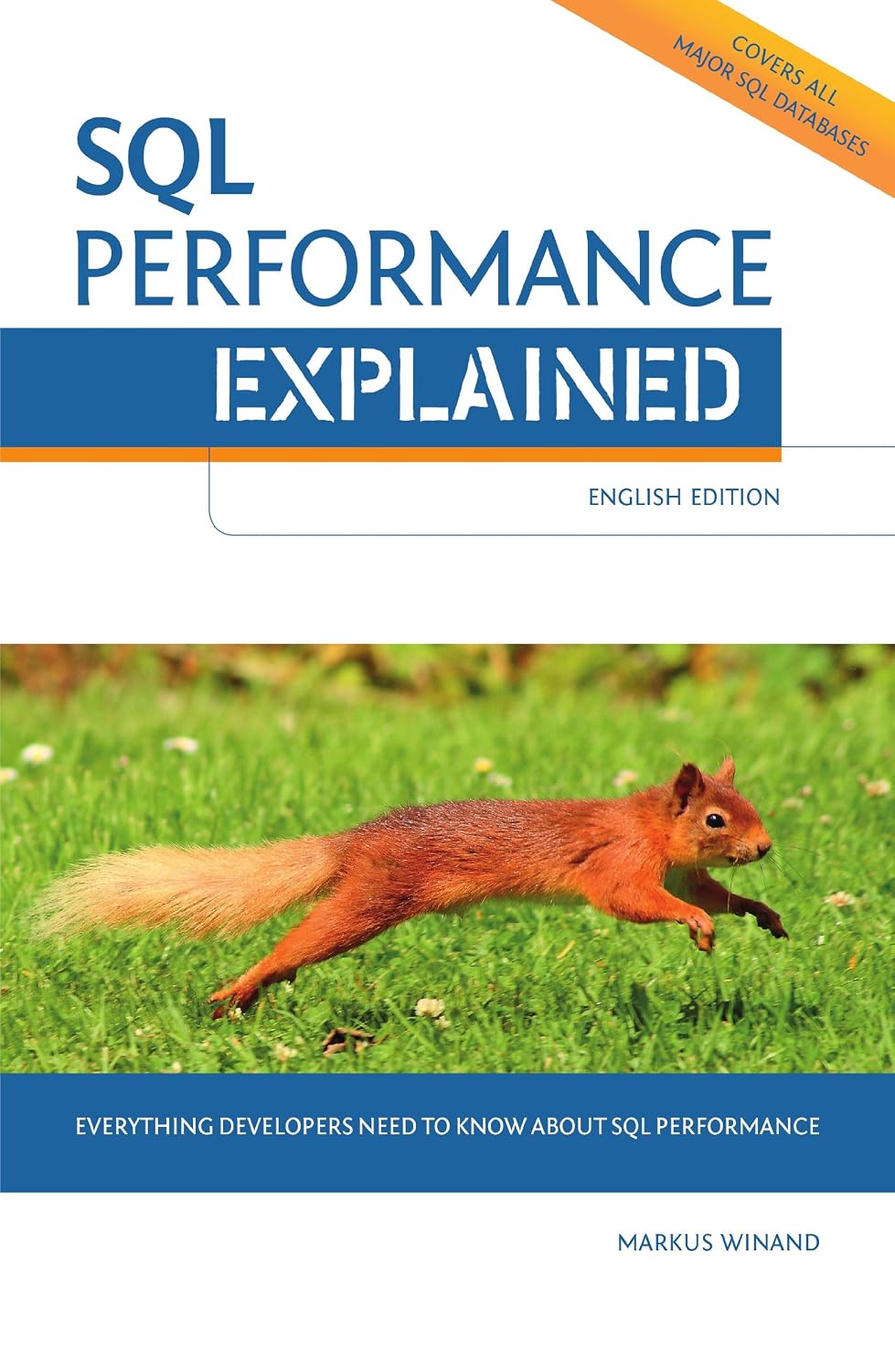
It’s a compact and genuinely awesome book that breaks down indexes exceptionally well, and I definitely recommend checking it out.
Anatomy of an Index
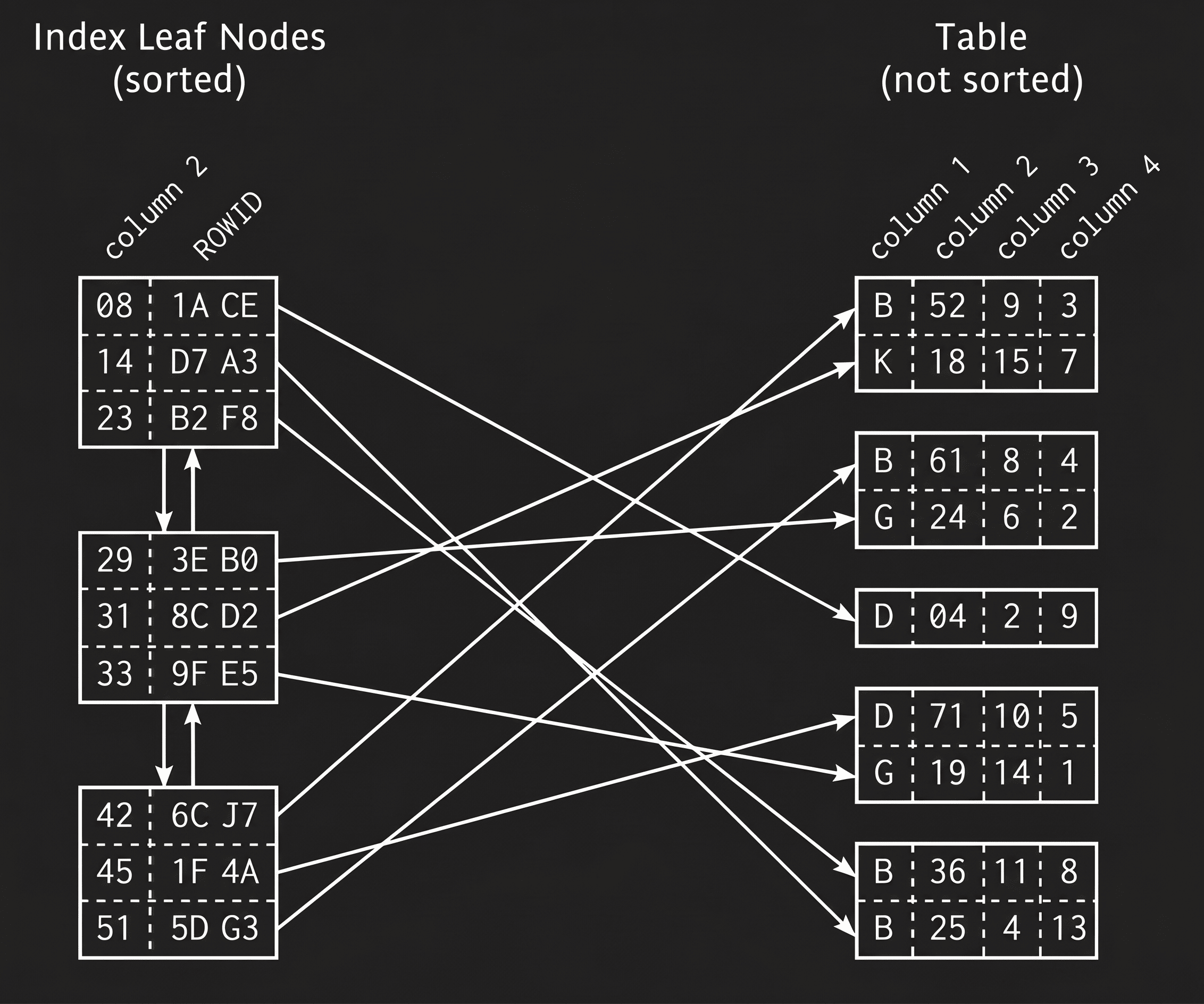
An index is essentially a sorted copy of the columns we select. It takes up disk space on its own, and in most scenarios (especially with Secondary Indexes), it doesn’t touch the rest of the table’s data—it simply keeps a pointer to the physical location of that row in the main table.
To understand how it works, we need to know two crucial data structures:
- Doubly linked list
- Search tree
1. Doubly Linked List
Because our data is constantly changing with write operations, physically shifting data around on disk makes zero sense. So what the database does instead is use a doubly linked list, where every node has two links: one pointing to the previous item and one to the next (just like links in a chain). That way, the physical location of the nodes on disk doesn’t matter—every write operation only updates pointers.
The database uses a doubly linked list to connect leaf nodes to each other, not to reach them in the first place. Navigating vertically down to the leaves is the job of the tree (B-Tree). But once you land on the first leaf node, reading the subsequent data (like in ORDER BY or range queries) doesn’t require climbing back up and down the tree—you can simply glide horizontally across these links. Each leaf node is also stored in a database block/page.
Sorting happens on 2 distinct levels:
- Inside a node: For instance, the age column in the first block might have 3 records stored as
[25, 26, 27]. - Between nodes: When a block fills up, the database allocates a new block and writes data there.
Since data pages aren’t necessarily contiguous on the physical disk, the database uses a doubly linked structure to link the blocks together:
Page A: [10, 12, 15] <---> Page B: [22, 32, 35] <---> Page C: [40, 46, 50]
2. B-Tree
This data structure is actually a multiway, self-balancing tree (Balanced Tree, not a Binary Tree). The distance from the root to all leaf nodes is always equal, which is why it stays balanced.
Modern relational databases practically use an optimized version called a B+Tree. The key difference is that all actual row data/pointers reside exclusively in the bottom layer (Leaf Nodes), while the upper nodes serve purely as guides or routers. And here’s the cool part: it’s precisely these leaf nodes that are chained together using the doubly linked list we just talked about.
With every write operation, the database keeps this tree balanced, which introduces some overhead (maybe I’ll dive deeper into that in upcoming articles), and the elements inside are organized in ranges.
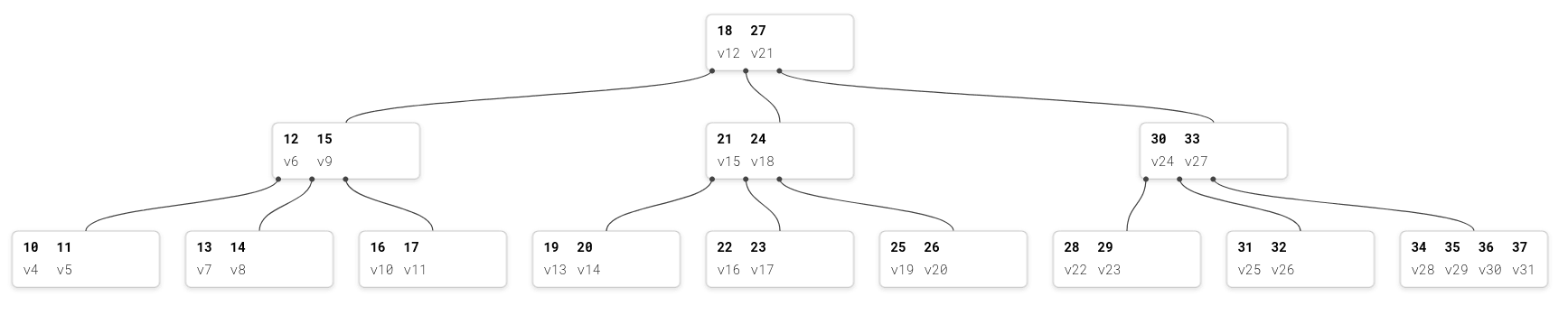
As you can see in the illustration, the tree makes traversal super fast for the database engine by showing the highest key for each range.
Putting Both Together in a Query
To see how these two structures complement each other in practice, imagine we want to run this query:
SELECT * FROM Users WHERE id BETWEEN 20 AND 29;The database executes this query in two distinct phases:
Phase 1: Vertical traversal on the tree (Index Seek)
The database needs to find the starting point, which is 20:
-
It starts at the root node containing
[18, 27]. Since 20 is between 18 and 27, it follows the middle pointer down to[21, 24]. -
In this node, since 20 is less than 21, it picks the left pointer and lands directly on the leaf node containing
[19, 20]. -
It finds record 20. This fast top-to-bottom traversal of the tree is called an Index Seek.
Phase 2: Horizontal traversal on the Linked List (Range Scan)
Now it needs to read the rest of the records up to 29. Here’s the neat part: the database drops the tree entirely. It doesn’t need to climb all the way back up and traverse down for each single number. Instead, it moves directly along the doubly linked list chaining the leaves together and scans horizontally:
- From
[19, 20], it hops to the next block:[22, 23] - Next hop:
[25, 26] - And finally into the block:
[28, 29]
Notice that the leaf [28, 29] actually belongs to an entirely different branch under [30, 33]. Without this doubly linked list, the database would have had to travel all the way back up to the root and back down just to reach 28. Thanks to this chain, it grabs the data horizontally with minimal I/O. This phase is called a Range Scan.
Summary
In this part, we saw that the anatomy of an index comes down to the clever pairing of two fundamental data structures: B-Tree (for vertical traversal or Index Seek) and Doubly Linked List (for horizontal traversal or Range Scan). Once you understand how the database organizes data into blocks and chains leaf nodes together, making sense of query execution becomes much clearer.
Sure, we could write endless pages on these data structures, but I strongly suggest learning them through visual tools—it gives you a much deeper intuition. What an interactive diagram or animation can do for understanding B-Trees easily beats several pages of plain text. I recommend playing around on btree.app where you can build your own tree, watch nodes insert/delete, and see traversal in action.
This was just the beginning. In the upcoming parts of this series, we’ll dive into hands-on practical scenarios: what common query mistakes cause indexes to get ignored, how to handle composite indexes, and how to write queries to squeeze the best possible performance out of our database.